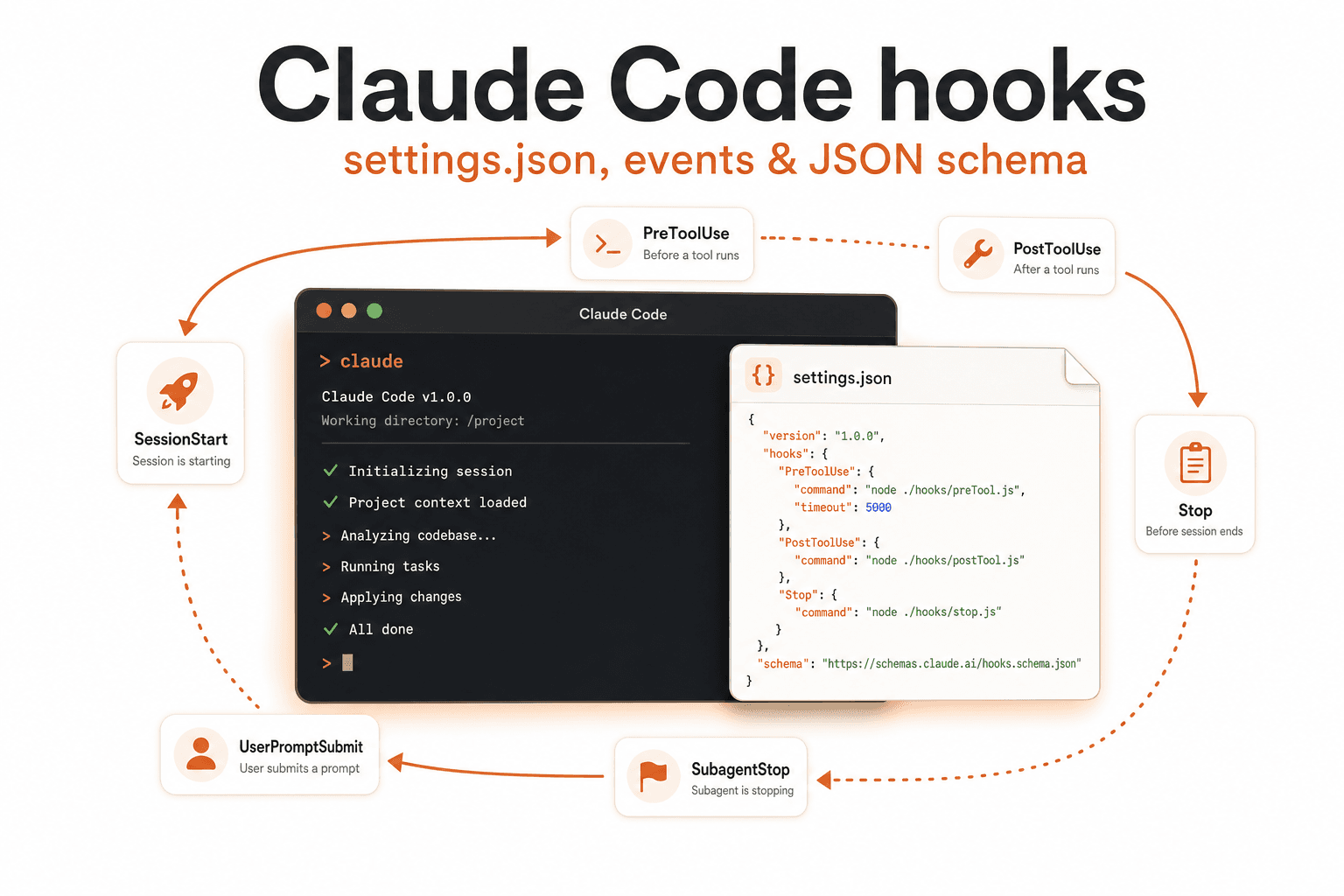
Claude Code hooks: settings.json, events & JSON schema
The complete Claude Code hooks reference: where hooks live in settings.json, every event, the JSON schema, permission decisions, exit codes, and copy-paste recipes.

Nicolás Torres
Claude Code ships a full hook system for the CLI agent loop. Hooks run small programs around lifecycle events: before a tool runs, after a file is edited, when a subagent spawns, when context compacts. They can observe, modify, or block what the agent does.
This guide is a standalone reference to Claude Code hooks: where the config lives, every event, the JSON schema shape, how permission decisions work, and recipes you can copy today.
If you came from Cursor, the model is the same but the JSON is different. The Cursor hooks.json guide covers the other side; a comparison table is at the end of this post.
Where hooks live
Claude Code hooks live in settings.json under a "hooks" key, not in a separate hooks.json file.
| Scope | File | Shared via git |
|---|---|---|
| Project | .claude/settings.json | Yes |
| Project-local | .claude/settings.local.json | No (gitignored) |
| User | ~/.claude/settings.json | No |
| Enterprise | Managed settings deployment | Via admin |
Per the official guide, the /hooks slash command opens a read-only browser that lists configured hooks by event. To add, modify, or remove hooks, edit the settings JSON directly or ask Claude to make the change.
The schema is nested: event → matcher group → handler array. Cursor's is flatter. Same concept, different shape.
Events you can hook
Claude Code exposes hooks across the full agent lifecycle:
| Event | Fires when |
|---|---|
SessionStart | Session begins, resumes, clears, or compacts |
UserPromptSubmit | Before your prompt is processed |
PreToolUse / PostToolUse / PostToolUseFailure | Around tool execution |
PermissionRequest / PermissionDenied | Permission dialog flow |
Notification | Claude needs your attention |
SubagentStart / SubagentStop | Subagent lifecycle |
Stop / StopFailure | Turn completion or API error |
PreCompact / PostCompact | Context compaction |
ConfigChange | Settings file changes mid-session |
CwdChanged / FileChanged | Directory or watched file changes |
Use the narrowest event for your goal. For shell command policy, PreToolUse with matcher Bash beats a broad UserPromptSubmit hook.
The settings.json schema
Hooks are nested three levels deep: event → matcher group → handler array.
{
  "hooks": {
    "PreToolUse": [
      {
        "matcher": "Bash",
        "hooks": [
          {
            "type": "command",
            "command": ".claude/hooks/guard.sh"
          }
        ]
      }
    ]
  }
}
Handler types
| Type | What it does |
|---|---|
command | Runs a shell script |
http | POSTs the event payload to a URL |
mcp_tool | Calls a connected MCP tool |
prompt | Single-turn LLM evaluation of the event |
agent | Multi-turn verification, experimental |
Matchers
Matchers filter which events reach a handler. PreToolUse matchers target tool names (Bash, Edit, Write, Read, Task). You can also add an if filter on arguments for finer control.
Permission decisions and exit codes
Two events make permission decisions, and they don't speak the same language. PreToolUse runs before every matching tool call and can block with an exit code or JSON. PermissionRequest runs only when Claude Code is about to show a permission dialog, and it only listens to JSON.
PreToolUse
Exit code 2 blocks:
#!/bin/bash
echo "Blocked: use a safer alternative" >&2
exit 2
Exit 0 with JSON decides: permissionDecision is allow, deny, ask, or defer.
{
  "hookSpecificOutput": {
    "hookEventName": "PreToolUse",
    "permissionDecision": "deny",
    "permissionDecisionReason": "Use a safer alternative."
  }
}
Use "ask" to force the confirmation prompt (the reason is shown to the user) or "allow" to skip it. Deny and ask rules in your settings are still evaluated either way.
PermissionRequest
Exit code 2 does nothing here. The permission flow proceeds unchanged and stderr is discarded. To answer the dialog, exit 0 with a decision object:
{
  "hookSpecificOutput": {
    "hookEventName": "PermissionRequest",
    "decision": {
      "behavior": "deny",
      "message": "Network installs need manual approval."
    }
  }
}
Allow, optionally rewriting the input:
{
  "hookSpecificOutput": {
    "hookEventName": "PermissionRequest",
    "decision": {
      "behavior": "allow",
      "updatedInput": { "command": "npm run lint" }
    }
  }
}
updatedInput and updatedPermissions work only with allow; message and interrupt work only with deny. A matching deny rule still beats a hook's allow.
Key rules:
- Pick one approach per hook. If you exit
2, the call is blocked no matter what JSON you print, even"permissionDecision": "allow". To return a decision, exit0. - Other non-zero exit codes are non-blocking errors. Policy hooks should use
exit 2or JSON, notexit 1. - When multiple hooks match the same event, Claude Code runs them in parallel and merges results.
- For
PreToolUsepermission decisions, the most restrictive answer wins:denybeatsdeferbeatsaskbeatsallow. - A
PreToolUsedeny blocks the tool even inbypassPermissionsmode. PostToolUsecannot block anything. The tool already ran. UsePreToolUsefor blocking.
Recipes you can copy today
1. Block dangerous shell commands
.claude/settings.json:
{
  "hooks": {
    "PreToolUse": [
      {
        "matcher": "Bash",
        "hooks": [
          {
            "type": "command",
            "command": ".claude/hooks/block-dangerous.sh"
          }
        ]
      }
    ]
  }
}.claude/hooks/block-dangerous.sh:
#!/bin/bash
input=$(cat)
command=$(echo "$input" | jq -r '.tool_input.command // empty')

if echo "$command" | grep -qE 'rm -rf|curl.*\|.*bash|wget.*\|.*sh'; then
  echo "Blocked: destructive command pattern" >&2
  exit 2
fi

exit 0
2. Run tests after every edit
.claude/settings.json:
{
  "hooks": {
    "PostToolUse": [
      {
        "matcher": "Edit|Write",
        "hooks": [
          {
            "type": "command",
            "command": ".claude/hooks/run-tests.sh"
          }
        ]
      }
    ]
  }
}.claude/hooks/run-tests.sh:
#!/bin/bash
# PostToolUse is fail-open: log test results, never block the agent
if [ -f "pnpm-lock.yaml" ]; then
  pnpm test 2>&1 | tail -40
else
  npm test 2>&1 | tail -40
fi
exit 0
Keep test hooks fail-open. A failing test should be visible, not session-breaking. To gate merges on green tests, enforce in CI instead.
The Cursor equivalent uses afterFileEdit or postToolUse with a Write matcher; see Cursor hooks: run tests after every file edit for the payload details and monorepo variants.
3. Desktop notification when Claude needs you
.claude/settings.json:
{
  "hooks": {
    "Notification": [
      {
        "matcher": "",
        "hooks": [
          {
            "type": "command",
            "command": "osascript -e 'display notification \"Claude needs input\" with title \"Claude Code\"'"
          }
        ]
      }
    ]
  }
}
macOS only. Add to .claude/settings.json, run /hooks to verify it registered.
4. HTTP hook to your own endpoint
{
  "hooks": {
    "UserPromptSubmit": [
      {
        "matcher": "",
        "hooks": [
          {
            "type": "http",
            "url": "https://your-api.example.com/hooks/prompt-audit"
          }
        ]
      }
    ]
  }
}
The event payload is POSTed as JSON. Useful for audit trails, PII scanning, or prompt policy enforcement without writing shell scripts.
Enterprise controls
Admins can lock down where hooks come from:
allowManagedHooksOnly: blocks user and project hooks entirelystrictPluginOnlyCustomization: restricts customization to plugins- Managed settings deployment: pushes hook config to every machine
Cursor vs Claude Code hooks
| Aspect | Cursor | Claude Code |
|---|---|---|
| Config file | .cursor/hooks.json | settings.json inline |
| Create via slash command | /create-hook (scaffolds hooks) | No create command |
| Inspect via slash command | Customize > Hooks tab | /hooks (read-only browser) |
| Documented events | ~20 agent + Tab + workspace | Full lifecycle, ~18 events |
| Schema | Flat per hook entry | Nested matcher groups |
| Matchers | Single regex per entry | Matcher + optional if filter |
failClosed | Per-hook boolean | Fail-open default; exit 2 blocks |
| Plugin hooks | Via Cursor plugins | Via plugin hooks/hooks.json |
| Third-party import | Reads Claude hooks when enabled | N/A |
| HTTP / MCP / agent hook types | Command + prompt only | command, http, mcp_tool, prompt, agent |
Cursor is stronger on IDE integration: Tab hooks, workspaceOpen, cloud agent pickup from repo-level config. Claude Code goes deeper on the CLI loop: notifications, compaction hooks, permission events, and HTTP/MCP hook types. Same idea, different runtimes.
Debugging
- Run
/hooksto see what's configured. It is read-only. - Hook stderr lands in the Claude Code output. Log liberally inside your scripts.
- Missing shebang or execute bit: scripts need
#!/bin/bashandchmod +x. jqmust be on$PATHin the hook environment. Don't assume.- Circular invocations: a hook that shells out to
claudecan recurse. Useloop_limit. - Windows: shebang scripts won't work; use
.bat/.cmdor explicit interpreters.
Sources
Frequently asked questions
Where do Claude Code hooks live?
Claude Code hooks live in settings.json under a "hooks" key, not in a separate hooks.json file. Project hooks: .claude/settings.json. User hooks: ~/.claude/settings.json. Project-local hooks: .claude/settings.local.json (gitignored). Enterprise admins can deploy managed settings.
What events can Claude Code hooks listen to?
The full lifecycle: SessionStart, UserPromptSubmit, PreToolUse, PostToolUse, PostToolUseFailure, PermissionRequest, PermissionDenied, Notification, SubagentStart, SubagentStop, Stop, StopFailure, PreCompact, PostCompact, ConfigChange, CwdChanged, and FileChanged.
How do I block a tool call in Claude Code?
Use a PreToolUse hook. Either exit with code 2 and a stderr message, or exit 0 with structured JSON: hookSpecificOutput.permissionDecision set to "deny". Pick one: if you exit 2 the call is blocked whatever JSON you print. Note that PermissionRequest hooks ignore exit code 2 and must return a decision object. A PreToolUse deny blocks the tool even in bypassPermissions mode.
What hook handler types does Claude Code support?
Five types: command (shell script), http (POST to a URL), mcp_tool (call a connected MCP tool), prompt (single-turn LLM evaluation), and agent (multi-turn verification, experimental). Cursor only supports command and prompt hooks.
How do I run tests after every edit in Claude Code?
Use a PostToolUse hook with matcher Edit\|Write that runs your test command. Keep it fail-open so failing tests don't break the session. Claude Code runs matching hooks in parallel and merges results.